
Your team's local setup,
in one repo.
The shared services, your own domain and certificate, and every project with its setup steps and secrets, described once. A new developer installs Orca, clicks one link, and has any project running in minutes. Or just asks Claude to spin it up.
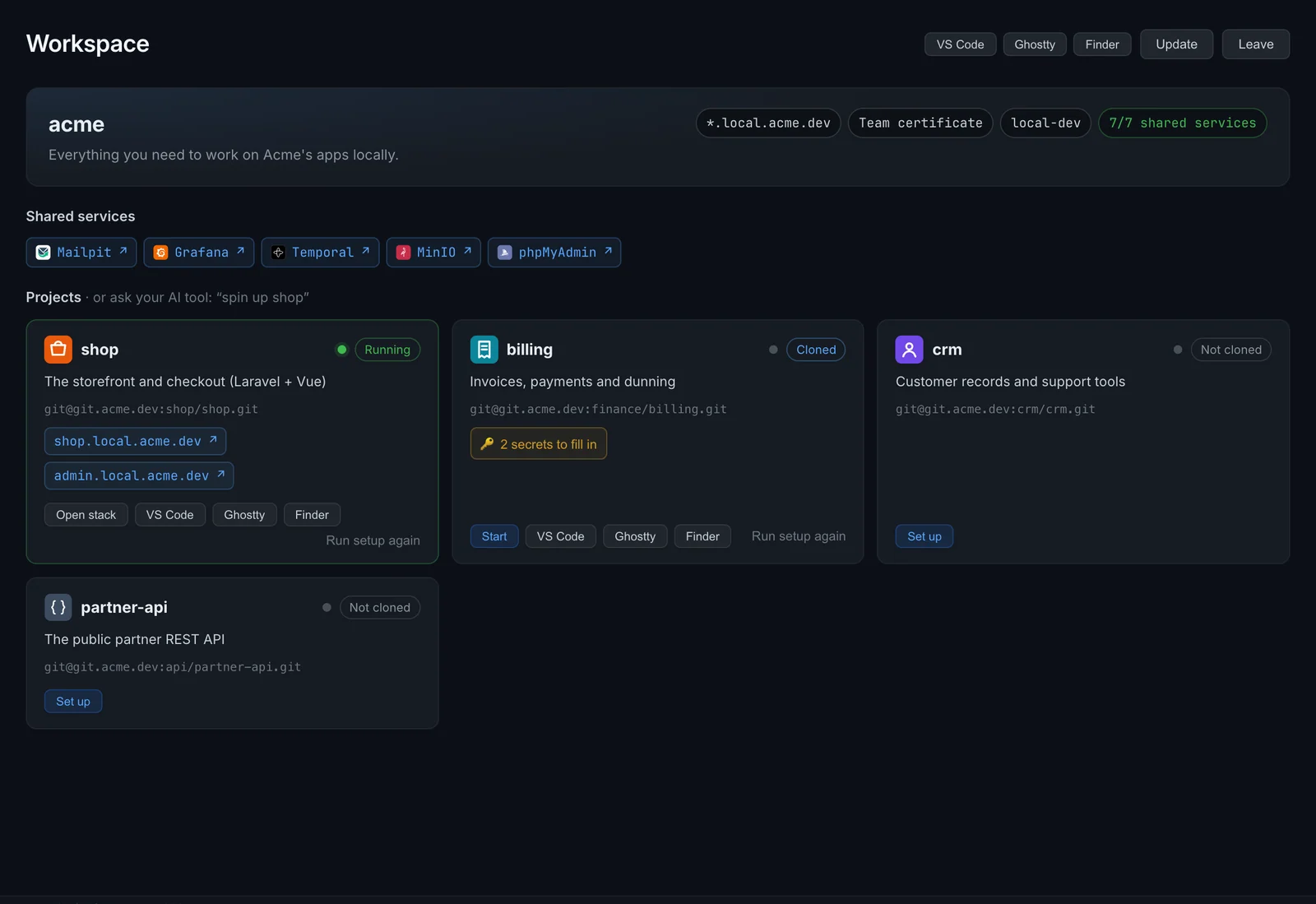
From a new laptop to a running project
Onboarding stops being a wiki page and a day of asking around.
- Find the right wiki page, and hope it's current
- Clone the proxy repo, create the network, fight for ports 80 and 443
- Clone each project and copy
.env.example - Hunt for every secret in the password manager
- Ask in chat why a hostname doesn't resolve
- Do it all again for the next project
- Install Orca
- Click the workspace link: shared services, network and HTTPS are ready
- Click Set up on a project, or ask Claude to spin up billing
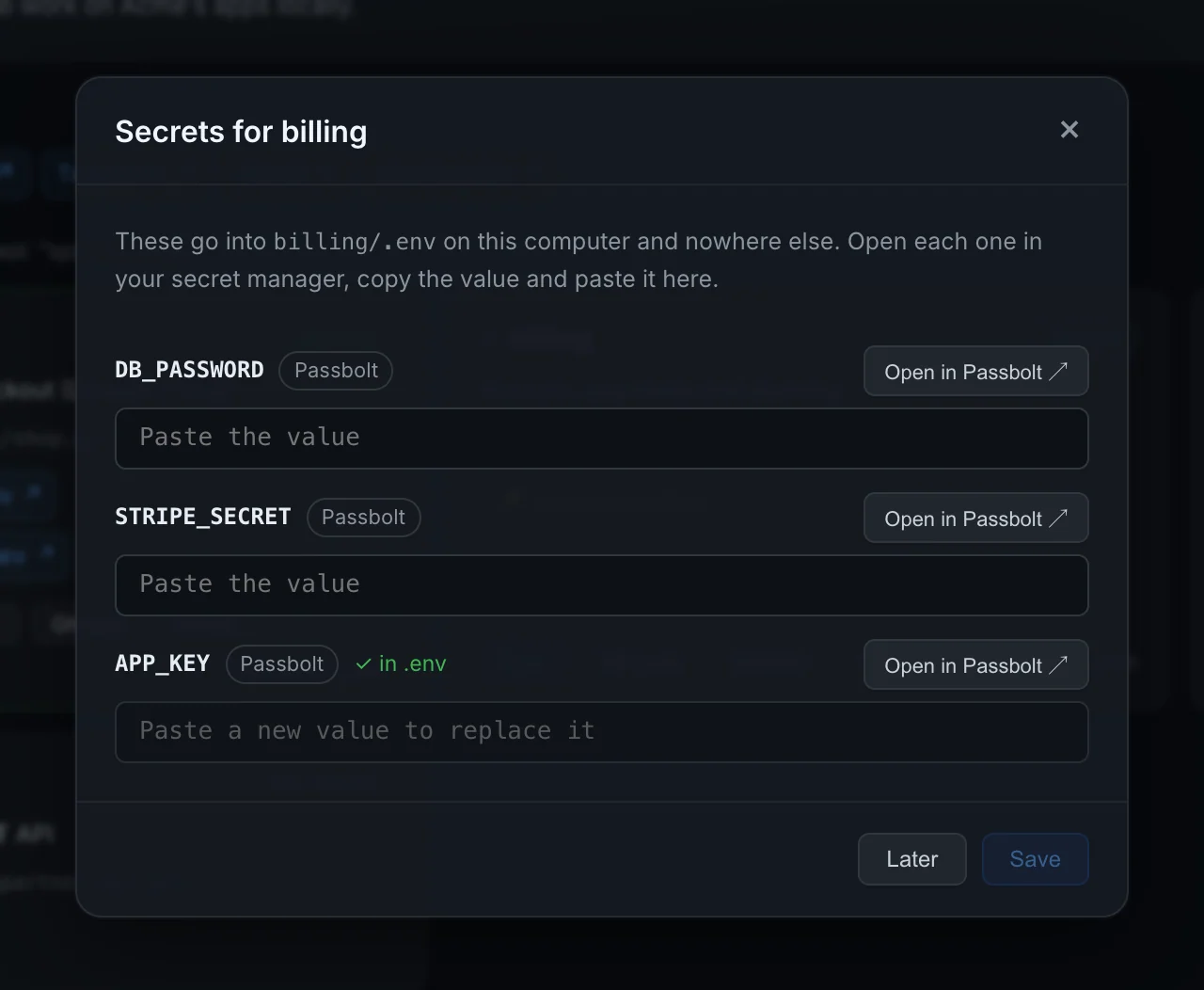
- Paste the secrets Orca links you to, or let it fetch them
Describe it once. Share one link.
Describe your setup
One orca-workspace.yaml in a repo: the shared services, the network, your domain and certificate, and every project.
orca-workspace.yaml
compose.yaml
certs/
README.mdShare one link
Put it in your wiki. It opens Orca with the workspace filled in, or use the CLI.
orca://workspace?repo=git@git.acme.dev:devops/dev-workspace.gitSet up anything
One click per project: clone, .env, secrets, setup command, start. Or ask your AI tool.
orca workspace setup billing
→ https://billing.local.acme.devEverything a developer needs, in plain YAML
The workspace file lists what your team runs and how to get it going. Orca checks it as it reads it, and names the problem when something's off.
- Shared services as a compose file, started on join and per project as needed
- Your own domain, with a real wildcard certificate or Orca's own
- Projects reuse an existing checkout, or clone with each developer's own git access
- Everyone's Orca pulls the workspace on start, so new projects show up by themselves
name: acme
network: local-dev
gateway:
  domain: local.acme.dev
  certificate: { cert: certs/wildcard.crt, key: certs/wildcard.key }
shared:
  compose: compose.yaml        # mailpit, Temporal, MinIO…
routes:
  - { hostname: mail, target: "mailpit:8025" }
secrets:
  passbolt: { url: https://passbolt.acme.dev }

projects:
  billing:
    repo: git@git.acme.dev:finance/billing.git
    uses: [temporal]
    setup: just setup
    routes:
      - { hostname: billing, target: "billing-app:80" }
    env:
      from: .env.example
      secrets:
        DB_PASSWORD: passbolt:7f3c91a2-5d0e-4c2b-9a51-2a9be1c3d4f0
Secrets from your password manager, never from a chat
The workspace holds references, not secrets. When a project needs some, Orca lists them with a link straight to each entry in Passbolt, or fills them in itself with Passbolt's or 1Password's command-line tool.
passbolt:<id>or 1Password'sop://vault/item/field- Decrypted on the developer's machine, with their own credentials
- Written only to the project's
.env, readable only by them
"Spin up billing." Done.
With Orca connected to Claude, Cursor or any MCP client, an AI tool finds the project in the workspace, sets it up and hands back its URLs. It never asks for secrets: those are filled in on the Workspace page.
Connect your AI tooljust setup, and started Temporal, which it uses.The routing a real team needs
Paths to another app, a hostname per tenant, an app's own WebSocket server next to a shared one. The most specific route wins, so it does what you'd expect.
- Targets are network aliases, so projects keep their compose files
*in a hostname for tenants, docs sites or per-developer hostswebsocket: truefor Reverb, Vite HMR or Pusher- The same hostnames work from inside containers
routes:
  # An app and its API on one hostname
  - { hostname: shop, target: "shop-web:3000" }
  - { hostname: shop, path: "/api/*", target: "shop-api:8080" }
  # Every tenant: north-shop, south-shop…
  - { hostname: "*-shop", target: "shop-web:3000" }
  # The app's own Reverb socket, and Pusher for every other WebSocket
  - { hostname: shop, target: "shop-reverb:8080", websocket: true }
- { hostname: "*", target: "soketi:6001", websocket: true }Already running a shared dev proxy?
Point Orca at your HAProxy config and it writes the routes for you, with each backend's description as its title. The rules that need a person, such as WebSocket special cases, are listed for review instead of being guessed.
Migrate from a reverse proxy$ orca workspace import-haproxy haproxy.cfg --domain local.acme.dev
routes:
- hostname: billing
target: billing-app:80
title: Billing
- hostname: mail
target: mailpit:8025
# … 38 more
# Not imported: these rules need a look by hand
# use_backend reverb if hdr_connection_upgrade is_billing_wsEverything about workspaces
Overview
What a workspace is, and what happens when you join one and set up a project.
Read moreJoin and use
The Workspace page, setting up projects, the CLI and your AI tool.
Read moreSecrets
Passbolt and 1Password: by hand, or filled in by their CLIs.
Read moreCreate a workspace
A step-by-step guide for the person setting one up for a team.
Read moreFile reference
Every key in orca-workspace.yaml, with defaults and checks.
Read moreRoutes
Targets, paths, patterns, WebSockets, and which route wins.
Read moreMigrate
From a hand-run HAProxy, nginx or Traefik setup to a workspace.
Read moreTroubleshooting
Clones, ports, certificates, routes and secrets that don't work.
Read moreQuestions teams ask
Do our project repos have to change?
No. Routes target the network aliases your compose files already have, and the workspace starts each project as a normal compose stack. Projects can later move their own routes into an orca.yaml.
Where do secrets end up?
Only in each project's .env on the developer's own computer, created readable only by them. The workspace repo holds references to your password manager, never values.
Do we need a certificate?
No. Without one, Orca's own certificate authority signs your domain's names, and Orca trusts it on first start. If your domain resolves to 127.0.0.1 in public DNS, a real wildcard certificate in the repo also works in tools that ignore the system's trust store.
Does it work without AI?
Yes. The Workspace page and the orca workspace commands do everything; the AI tools use the same steps.
What does joining run on my machine?
The shared services' compose file, and each project's setup command when you set it up. Only join workspaces from people you trust, as you would only run their scripts.
Which platforms?
macOS, Windows and Linux, wherever Orca runs. Git uses each developer's own SSH keys or credential helper.
Give your team a one-click start
Install Orca, write one file, and share the link.